
TranscriptAI
Turn lectures and meetings into notes, flashcards and quizzes
Upload a recording or paste a YouTube link. Get a timestamped transcript, then notes, flashcards and a quiz built from it.
- 120 free minutes every month
- Free plan, no payment details needed
- Paid plans from US$9.99 a month

TranscriptAI in use
- transcripts completed
- 865
- hours of audio transcribed
- 151
- people have used it
- 626
- transcripts in the last 30 days
- 248
- languages transcribed so far
- 10
Counted from our database on 19 Oct 2026, for all use since 21 Jul 2026, excluding our own staff and test accounts.
Try it here, no sign-up
Press play. The transcript follows the audio.
This is the transcript TranscriptAI made of a six minute NASA podcast interview. Click any line to hear that moment, then open the summary and the flashcards it built from the same file.
- 12 timed lines, split between 2 speakers
- A summary, with each speaker's share of the conversation
- 3 flashcards, each linked to the moment it came from
Real output, not edited: the text, summary and flashcards are what TranscriptAI produced for this public-domain episode of NASA's Houston We Have a Podcast. The player here is a lighter copy of the transcript view in the app.
NASA Artemis Mission Management Interview.mp3
6:00, 2 speakers
From the same app
One recording in, a study kit out
The transcript you just played came from one upload. These are screenshots of the same app: the summary it made of that NASA episode, the export menu, the web recorder and a transcript in Spanish.
Summary and speaker share
Key topics, content metrics and how much each speaker said, made from the same NASA upload.

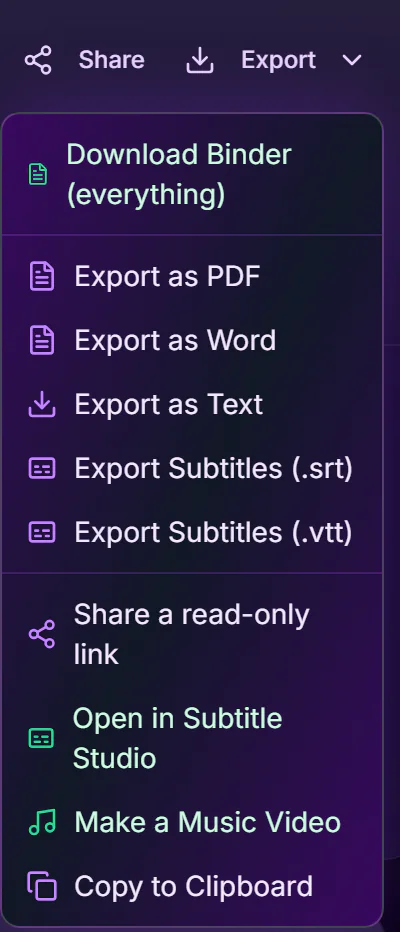
Export it your way
PDF, Word or plain text for reading, and SRT or VTT subtitle files for video.
Record in the browser
Record a lecture or a meeting straight from the browser, then transcribe it.
Not only English
The same transcript view works on recordings in other languages. This one is a Spanish reading of La Isla del Tesoro.

How it works
From recording to study kit in three steps
Upload or record
Upload audio or video, paste a YouTube link, or record live in your browser.
Get the transcript
Speaker labels and timestamps, then notes, flashcards and quizzes when you want them.
Study and search
Test yourself, review flashcards and search across everything you have recorded.
Pricing
Start free, upgrade when you need more
Free
120 min/month
- Up to 99% accuracy in 99 languages
- Full searchable transcripts
- YouTube & URL import
- 10 highlights per file
- 1 GB storage
- Notes, flashcards, quiz, summary and AI chat on your first transcript
- Free unlimited translation into 77 languages
- No credit card required
Starter
1,800 min/month
- Any file length, up to your monthly minutes
- 5 GB storage
- 30 Ask AI questions/
mo - AI Notes & Summaries (20/
mo) - 30 Flashcards + 30 Quizzes/
mo - Study Guides (10/
mo) - Assessments (5/
mo) - PDF/
DOCX Export
Premium
3,000 min/month
- Any file length, up to your monthly minutes
- 10 GB storage
- 5 Ask AI Q/
Day (150/ mo) - 100 Flashcards/
mo, 60 Quizzes/ mo - Free unlimited translation + Diarization (20/
mo) - Precision model
- Meeting Mode + Actions/
Decisions - Study Analytics
- Assessments (10/
mo) - PDF/
DOCX Export
Pro
6,000 min/month
- Any file length, up to your monthly minutes
- 20 GB storage
- 10 Ask AI Q/
Day (300/ mo) - 150 Flashcards/
mo, 100 Quizzes/ mo - Studio model + Unlimited Diarization
- Free unlimited translation
- Actions & Decisions
- Speaker Analytics
- Assessments (25/
mo) - Team Dashboard
- API & Webhooks
- Slack Integration
Enterprise
15,000 min/month
- Custom transcription volume
- Custom AI processing limits
- 100 GB storage
- All models + diarization
- SSO (SAML), set up during onboarding
- Dedicated Support & SLA
- Dedicated Onboarding
- Organisation billing
No credit card for the free plan. Cancel a paid plan anytime.
What one upload gives you
A transcript, and everything you need from it
Transcript
Speaker labels and timestamps, in 99 languages. Search every transcript you keep.
Notes and summary
Structured study notes and a summary with key topics, decisions and takeaways.
Flashcards and quizzes
Cards and practice questions made from what was said, each linked back to the moment in the audio.
Ask the recording
Ask a question in plain words and get an answer drawn from the transcript.
Meeting mode
Action items and decisions pulled out of every call.
Translation
Translate any transcript into one of 77 languages.
For students
Lectures, tutorials and YouTube lessons become notes, flashcards and quizzes you can revise from.
For teams and researchers
Meetings, interviews and calls become searchable transcripts with speakers, actions and decisions.
How people use it
Built for students and professionals
Questions
Before you upload
What does it cost?
- The free plan gives you 120 minutes of transcription every month with no credit card, plus a study kit on your first transcript. Free transcripts are kept for 90 days. Paid plans start at US$9.99 a month for 1,800 minutes. See every plan.
What happens to my recordings?
- They stay yours. We do not use your identifiable recordings or transcripts to train AI models, and you can delete any transcript at any time. The details are in our privacy policy.
What do I need to do, and how long does it take?
- Upload a file (12 formats: M4A, MP3, WAV, AAC, FLAC, OGG, WMA, MP4, WEBM, MOV, AVI and WMV, up to 1GB), paste a YouTube link, or record in your browser. Measured on 19 Oct 2026 over the last 30 days: the median file is done 5.5 minutes after upload, and most files finish processing in under 25 minutes. Recordings of an hour or longer uploaded in the Australian afternoon peak, about 3 pm to 6 pm Sydney time, can wait in a queue first, typically about two hours.
Will it work for my recordings?
- It transcribes 99 languages, labels who spoke and timestamps every segment, and can translate a transcript into 77 languages. Clear audio gives the best result: a microphone close to the speaker beats any setting.
What if it is not right for me?
- Try it on your own recording first: the free plan needs no card. If you upgrade, you can cancel from your account at any time and keep your plan until the end of the period you paid for.
Your next lecture, already in notes
Upload one recording and see what you get. Free plan, no payment details needed.