
Turn Any Audio or Video Into Ready-to-Use Subtitles
Generate broadcast-quality SRT and VTT captions from any recording, lecture, podcast, or movie. Industry-standard timing, two-line wrapping, and reading-speed limits, built in.
Captions That Actually Meet The Standard
Most auto-caption tools dump raw speech-to-text into an SRT file: lines too long to read, cues that flash by, no respect for how fast a human reads. TranscriptAI applies the same timed-text rules broadcasters use, so the captions you download are usable the moment they land.
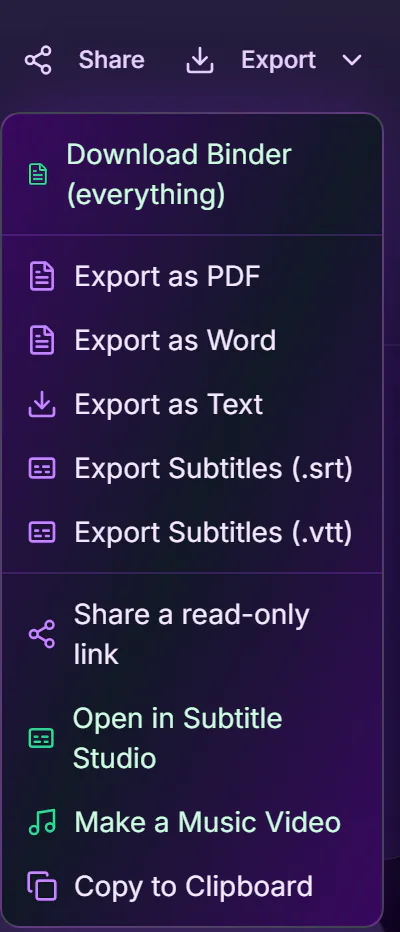
- Export 8 formats in one click: SRT, WebVTT, ASS, SBV (YouTube), TTML (broadcast), LRC (synced lyrics), TXT & JSON
- Netflix/BBC rules baked in: max 42 characters per line, max 2 lines
- Reading-speed cap (20 characters per second) so no cue flashes by
- Minimum and maximum cue durations enforced (5/6s to 7s)
- Smart line-breaking at clauses, never mid-word, balanced two lines
- Optional speaker labels for closed-caption (CC) style output
How It Works
Upload Audio or Video
Drop an MP3, WAV, MP4 or paste a YouTube/Vimeo link. We transcribe it with timestamps.
Review & Edit
Check the transcript, fix any words, and translate to another language if you need a second caption track.
Download Subtitles
Export as .srt or .vtt: compliant timing and line-wrapping done for you. Upload straight to YouTube, Vimeo, or your editor.
From Recording to Captioned in Minutes
Whether you are captioning a 90-minute film, a weekly podcast, or a course module, doing it by hand is hours of tedious timing work. TranscriptAI does the transcription, segmentation, and timing. You just review and download.
Who It's For
YouTubers & Creators
Add accurate captions to every upload to grow reach and accessibility, export SRT or burn styled captions in.
Filmmakers & Editors
Generate a compliant subtitle file for a film or trailer and hand it straight to post-production.
Podcasters
Turn episodes into captioned audiograms and shareable social clips.
Course Creators
Caption lessons in multiple languages to reach a global audience.
Accessibility Teams
Produce speaker-labelled closed captions that meet accessibility requirements.
Part of the TranscriptAI Ecosystem
Subtitles build on your transcript and its timestamps. Translate to add language tracks, use Speakers for CC-style labels, and Upload or Recording to bring media in.
Unlock the Full Study Workflow
Access flashcards, quizzes, advanced notes, and the complete TranscriptAI toolkit by upgrading your plan.
View PricingReady to Try Subtitles & Captions?
Start free with 120 minutes included. No credit card required.